AI SEO Tool for WordPress: Research, Write and Publish From One Place
The bottleneck is not the writing. It is the three tools you open before a sentence gets drafted: one for keyword research, another for the AI writer, a third for WordPress.
An AI SEO tool for WordPress only earns that name when it carries a post from live SERP research through source-checked writing to one-click publishing. Anything less is a plugin with a marketing page. Here you’ll find where the handoff breaks, why feature checklists hide it, and how a single tool closes the gap.
Picture the usual Friday scramble. A draft sits in a shared doc, the keyword data lives in a spreadsheet, and the publish button waits on someone who has logged off. That gap costs more than time. It costs the subtopic your competitor ranked for.
Why the WordPress SEO Plugin Alone Falls Short
A WordPress SEO plugin is a finishing tool, not a content engine. Rank Math and Yoast both handle metadata, schema markup and sitemaps well. Neither one reads a SERP, drafts a paragraph, or tells you which old post is quietly losing rankings.
Teams confuse feature counts with workflow. They compare plugins on schema types and breadcrumb controls, then wonder why the same plugin sits untouched while drafts pile up in Google Docs. The plugin was never the missing piece. The gap sits upstream, where research and writing happen in tools that have no connection to WordPress at all.
Picture the actual sequence. Someone pulls keyword ideas from a spreadsheet, pastes them into a generic AI writer, fact-checks the output by hand, then copies the finished text into the WordPress editor. Four handoffs, four chances for context to drop. The plugin only sees the last step.
This is what a plugin cannot fix: the distance between a live SERP and a published URL. WryveAI, the AI SEO and AEO platform for businesses and teams, was built for that distance, connecting live SERP research, source-checked writing and WordPress publishing in one workspace. The plugin still does its job. It just stops being asked to do everyone else’s.
Research First: Reading the SERP Before You Write
Reading a SERP is not the same as reading a keyword list. Each ranking page carries a signal, and those signals split into distinct angles that change how the draft gets built.
Hidden subtopics inside the pages already ranking
Look at what the top pages cover that your brief does not. A page ranking for “email deliverability” might spend half its length on SPF records, a subtopic the head term never mentions. Miss that and the draft competes on the wrong ground.
Search intent that lives past the head term
A buyer typing “best CRM for agencies” wants a comparison. Someone typing “what is a CRM” wants a definition. Treat both as the same query and the draft answers a question nobody asked. SERP analysis and intent mapping separate the two before a word gets written.
Entity and citation patterns competitors skip
Ranking pages name the tools, standards and people the topic depends on. Named entities build topical authority in a way generic prose cannot. A page about structured data that never mentions JSON-LD or schema.org reads as thin, because it is.
Turning research into a brief a writer can use
A brief that says “cover the topic well” is not a brief. It is a wish. The usable version names the subtopics, the intent, the entities and the sources each claim needs. WryveAI pulls live SERP research into that brief so the writer starts with the map, not a blank page. Research quality decides whether the draft can compete at all. Writing skill cannot rescue a brief built on the wrong subtopics.
The AI SEO Tool for WordPress That Writes With Sources
Two writing paths sit in front of every WordPress content team. One produces fluent paragraphs in seconds. The other produces paragraphs you can defend line by line. The gap between them decides how much of your week goes to editing.
A generic AI writer for WordPress is a drafting machine. Give it a title and a keyword, and it returns clean, readable copy with confident phrasing and no citations. The output looks finished, which is exactly the trap.
Every claim in that draft is unverified. Someone on your team has to trace each fact back to a real page, rewrite the sentences that fall apart, and soften the ones nobody can confirm.
A source-checked writer works the opposite way. It researches real pages while drafting, cites sources for its factual claims, and checks facts before handing the draft over. The slower paragraph is the cheaper paragraph. Most of the fact-checking has already happened by the time an editor opens it.
Google’s own position is clear enough here. Its guidance on AI-generated content rewards helpful, original material regardless of how it was produced, and acts against pages built mainly to game rankings. Citations are how you prove the difference.
WryveAI is built on a no-guesswork approach, researching and fact-checking as it writes so the draft arrives with its evidence attached. That changes the economics of human editing for E-E-A-T: editors sharpen argument and voice instead of hunting for proof.
Choose the generic path when the copy is low-stakes. Choose the verified path when the article carries your brand or your client’s name, because trust is the ranking factor that compounds.
Publish Without Leaving WordPress: The Handoff Problem
A clean handoff is where a finished draft becomes a live URL without losing anything. Teams break this chain at the same spot every time: the copy-paste step, where the writer’s document meets the WordPress editor and metadata gets retyped by hand.
Step 1. Approve the draft inside the writing tool, not in a shared doc. Approval in the same place the draft lives means the version you sign off is the version that ships.
Step 2. Carry the title, meta description and FAQ across with the article. Retyping a title tag and meta description invites drift, and drift is how a page ships with the wrong slug.
Step 3. Insert internal links from a mapped library rather than memory. WryveAI’s LinkVault pulls the right targets from your own site, so a new post connects to pages that already rank.
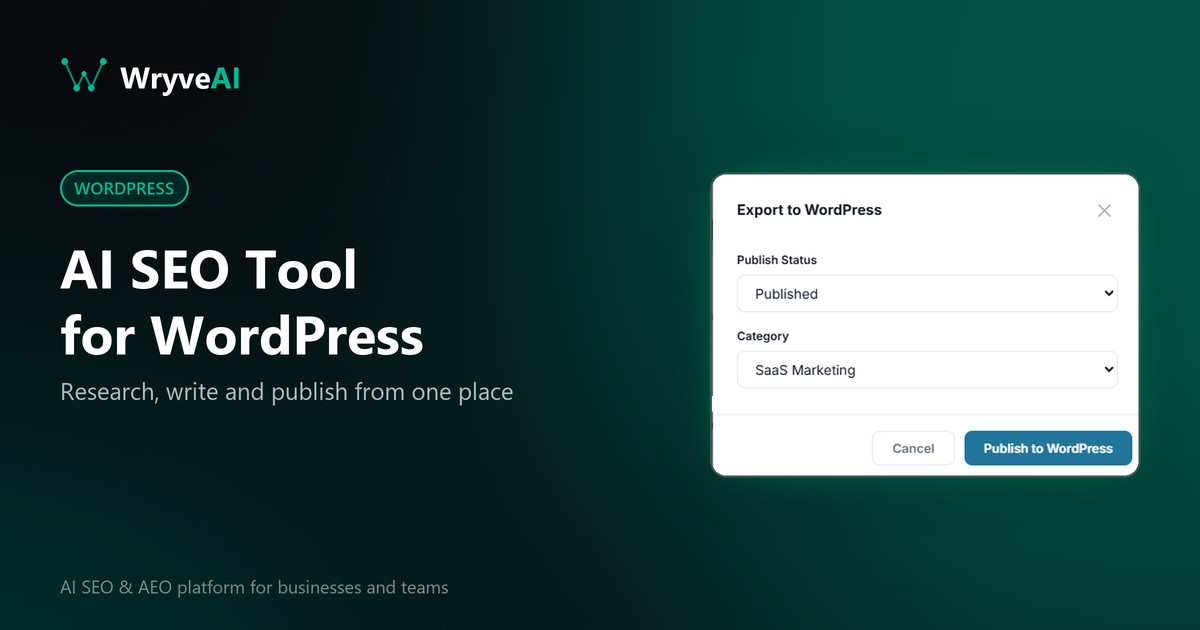
Step 4. Push the post to WordPress in one click. A tool that writes and publishes to WordPress removes the export file, the formatting cleanup and the second editor window.
Step 5. Request indexing as soon as the post is live, using URL Inspection in Google Search Console. Waiting is how a finished article sits invisible for a week.
When the first four steps run in one place, approving a draft and publishing it become a single motion. That is the difference between a workflow and a relay race.
What Most AI SEO Tool Roundups Get Wrong
Roundups reward the wrong thing. They score plugins on checkbox breadth, so a tool that does metadata and schema and sitemaps and redirects outranks one that actually carries a post from research to published URL.
The format feels safe because it mirrors how buyers already shop. That logic collapses the moment the thing being compared is a workflow, because a workflow is defined by what it removes, not what it contains.
Before: a team reads a roundup, picks the top-scoring plugin, and installs it. The plugin handles on-page metadata well. Then the same team opens a separate research tool, pastes keywords into a generic AI writer, and copies the draft into WordPress by hand. Each tool works.
The chain does not. The team spends more time moving content between tabs than writing it, and nobody notices the leak because every individual tool got a passing grade.
After: the same team evaluates tools on one question: can this carry a single post from SERP research to a live URL without a manual handoff? An AI writing tool comparison built around that question looks different. It surfaces platforms that research live SERPs, cite their sources and publish straight to WordPress. The team stops stitching and starts shipping.
Feature counts reward breadth. Workflow fit rewards output. A tool that adds a tab is a cost. A tool that removes a step is the kind worth installing.
The Refresh Loop: Fixing Articles That Stalled
Publishing marks the midpoint of an article’s life, not its end. A post that ranks on page two is not a failure. It is a near miss, and near misses are where the cheapest gains hide. Any WordPress AI content tool worth keeping treats Search Console as a feedback source, not a trophy case. The loop below is how stalled pages get pulled back into contention.
- Pull Search Console data. Sort pages by impressions that never convert to clicks. High impressions with low clicks signals a ranking page whose title or intro misses the query.
- Find the near-miss queries. Look for terms where the article sits just outside the top results. Those queries tell you which intent the draft failed to serve.
- Rewrite the weak sections. Don’t touch the whole post. Rewrite the two or three sections that answer the wrong question, then check the piece against your content optimization framework before republishing.
- Re-publish and request indexing. Push the update, then request indexing in Search Console so the change gets crawled quickly. A rewrite nobody crawls is invisible work.
The loop only works when the steps live close together. Split them across a spreadsheet, a separate editor and a manual WordPress update, and the refresh never happens. WryveAI connects to Search Console and flags posts worth refreshing, so decay shows up before the traffic is gone.
Choosing a Tool That Fits Your Team, Not a Checklist
A tool that passes every feature check can still cost your team a full day per article. The checklist below filters for workflow fit, which is the measure that survives contact with a real publishing calendar. Every item is a question you can answer in a single demo.
- Live SERP research. The tool reads pages currently ranking, not just a keyword volume column.
- Cited, fact-checked drafts. A draft with sources attached shrinks the fact-check pass.
- Direct WordPress publish. No export file, no paste into the block editor, no reformatting.
- Separate brand profiles. Agencies running the multi-client content problem need each client’s voice and data kept apart, not naming conventions.
- Role-based seats. Team members get access to the brands their job requires.
- Search Console loop. Stalled pages surface for refresh instead of quietly decaying in a dashboard nobody opens.
Notice what is missing. Nothing here scores schema options or redirect rules. Those are solved problems, and a tool that wins on them may still leave your team stitching three systems together by hand.
Run one live article through a candidate before you commit. Time the full path from SERP research to indexed URL, then compare it against your current stack. WryveAI is built for that single path, so the comparison takes an afternoon rather than a quarter.
Ship the Next Article From One Place
Closing the tool chain is a workflow decision, and it is the one that changes your output. A better plugin sharpens a single step. A connected AI SEO tool for WordPress removes the seams between research, drafting and publishing.
Pick one article this week and run it through a single place: live SERP research, source-checked writing, then a direct push to WordPress. Time the whole path from first search to live URL. Compare that against your current stack, where a draft bounces between a research tab, a writer and a manual paste. The gap you find is the real cost. Close it once, and every article after gets faster.
WryveAI lets you publish your researched, source-checked article straight to WordPress, so the draft never stalls in a shared doc. Try it free and take one post from research to live in a single place.
FAQ
Questions About AI SEO Tools for WordPress
Does an AI SEO tool replace a WordPress SEO plugin?
No, and treating them as substitutes is how teams end up with a broken workflow. An AI SEO tool for WordPress handles the upstream work of research, drafting and publishing, while a plugin like Yoast or Rank Math still owns the on-page metadata, schema markup and sitemap on the live site.
Is AI-written content safe under Google’s guidance?
Google rewards helpful content regardless of how it was produced, so the method matters less than the accuracy and originality of what ships. Its guidance on AI-generated content makes clear that scaled, low-value pages made mainly to manipulate rankings are the real risk, not the tool itself.
How does source-checked writing differ from a generic AI writer?
A generic AI writer produces fluent paragraphs with no citations, leaving every factual claim unverified until an editor catches it. Source-checked writing researches real pages, cites sources for its factual claims and checks facts before the draft reaches an editor, which shrinks the fact-checking pass.
How does a refresh loop use Search Console data?
A refresh loop pulls Search Console data on pages that have stalled, then surfaces the queries where a post ranks on page two or three without earning clicks. Those near-miss queries show which sections miss search intent, so the rewrite targets the gap instead of guessing.
Every claim in this article was checked against a real source before it was published.
WryveAI researches live search results, writes source-verified content, and publishes straight to WordPress, all in one platform.
Try WryveAI Free →No credit card required.